By the Artixium technical team · Updated 16 October 2026
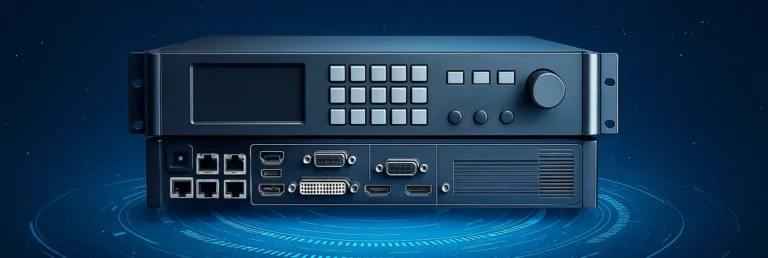
An LED video processor takes the signal from your sources (computer, camera, player) and prepares it for the screen: scaling, cropping and synchronisation. To choose one, first count the pixels to drive, then check the video inputs and whether you need backup. The NovaStar models below cover most projects.
LED Video Processor: What Does the NovaStar VX Series Offer?
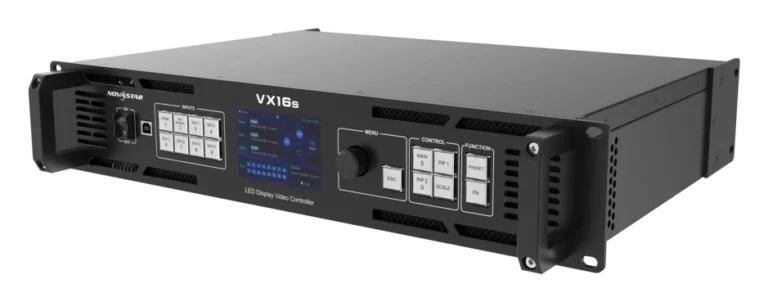
The VX models are all-in-one controllers: they process the image and send it to the screen from a single unit. The choice mainly comes down to loading capacity.
VX4S-N: 2.3 million pixels, 4 Ethernet outputs, up to 3,840 × 1,920 px.
VX6s: 3.9 million pixels, 6 Ethernet outputs, 3 windows and media playback from USB.
VX16s: 10.4 million pixels, 16 Ethernet outputs, up to 16,384 px wide.
For very large surfaces and control rooms, the NovaPro UHD range adds fibre outputs and 12G-SDI inputs.
When Should You Choose an MCTRL Controller?
MCTRL units are sending boxes that run without a computer. They convert the signal for the screen, without the processing features of a VX. Each Ethernet port drives 650,000 pixels.
MCTRL600 and MCTRL660: 4 ports, up to 1,920 × 1,200 at 60 Hz.
MCTRL660 Pro: 6 ports, plus 2 × 10G optical ports and a 3G-SDI input.
MCTRL4K: up to 4,096 × 2,160 at 60 Hz, 16 Ethernet outputs, DP 1.2 and HDMI 2.0 inputs.
What Is a TB Media Player For?
TB players store and play content themselves, with no computer permanently attached. They are the usual choice for digital signage.
TB3: 650,000 pixels, 2 Ethernet outputs including one backup.
TB6: 1.3 million pixels, 4 Ethernet outputs, synchronous mode to play a live HDMI source.
TB8: 2.3 million pixels, 4 Ethernet outputs, synchronous mode.
Specifications: NovaStar manufacturer data, checked on 12 October 2026.
Do You Need a Backup LED Video Processor?
For an event or broadcast screen, usually yes, because a processor failure blacks out the whole display. Several models listed here, such as the MCTRL and TB units, handle redundancy between ports: if a cable or port fails, another takes over. In control rooms, the whole unit is sometimes doubled.
For digital signage in a shop window, a TB player with a backup output is often enough. The right level of redundancy depends on what a black screen costs your business.
Think about software updates too. An LED video processor receives firmware updates: check that they are available for the model you choose and that a technician knows how to apply them without stopping the screen at the wrong moment.
How Do You Choose Your LED Video Processor?
To size an LED video processor, start by counting the screen pixels, width times height. The model you pick must drive them with some headroom. Then list your sources (HDMI, SDI, DisplayPort), your backup needs and how the screen will be run, live or as standalone playback. Our team can help you compare models for your project.
Frequently asked questions
What is the difference between a video processor and a sending card?
A sending card converts the signal for the screen. A video processor does more: scaling, multiple windows and switching between sources. NovaStar VX units combine both functions in one box.
How many pixels can one Ethernet port drive?
On the NovaStar models listed here, 650,000 pixels per port in 8-bit. Divide the total pixel count of the screen by that figure to get the number of ports you need, with some headroom.
Do you need a computer to run the screen?
Not necessarily. TB players play stored content on their own. A computer is still useful for the initial set-up and for live sources.
Does the LED video processor change the refresh rate?
Not much. Refresh rate mostly depends on the driver chips on the modules and on the receiving cards. Our guide to the LED refresh rate explains it.
What is scaling?
It is fitting the source image to the actual resolution of the screen. Wikipedia explains how a video scaler works.